


HT200
2.8627.00 Reviews
App Specs
- Version
- 1.64
- Updated On
- License
- Free
- Downloads
- 100,000+
- Developer
- autel2019
- Categories
- Auto & Vehicles
- Platform
- Android
Screenshots
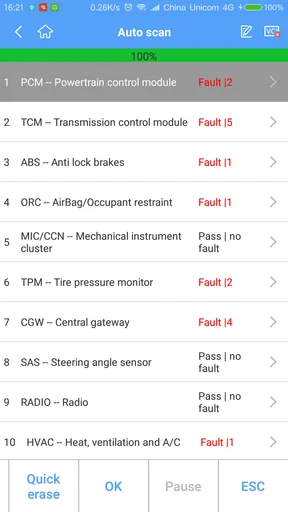
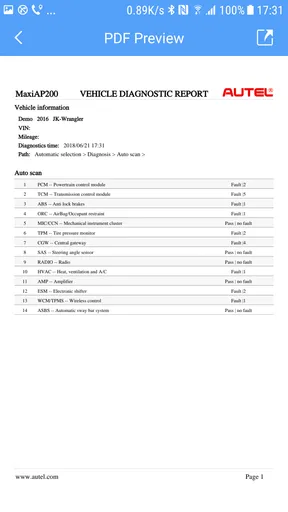
 Analysis by AppCompare
I judge a car diagnostic app less by how many screens it offers than by whether it helps me make a better decision before a small warning turns into an inconvenient trip to the garage. HT200 is an Auto & Vehicles app from autel2019 built around checking vehicle systems with a compatible scanner. That focus gives it a practical role: it can help a driver investigate what a warning might mean, while stopping short of replacing a mechanic’s inspection or repair advice.
What a multi-system check is useful for
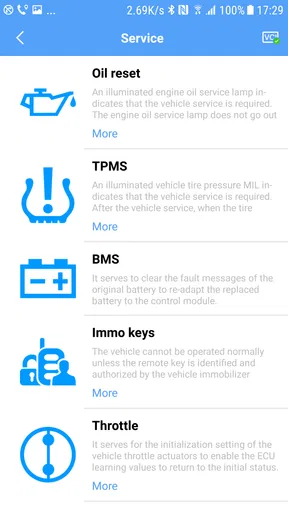
The useful idea behind a scanner companion is that vehicle trouble is not always confined to the engine. A dashboard alert may prompt questions about where to start, and a tool designed to diagnose multiple systems can offer a broader starting point than a basic reader that concentrates on engine fault codes. In my view, that breadth matters most when you want to gather information before deciding whether to keep driving, arrange a workshop visit, or ask a mechanic a more focused question.
That does not mean a scan automatically identifies the cause of a problem. A code or system result is a clue, not a confirmed diagnosis: the same symptom can have more than one explanation, and a technician may need to inspect the vehicle. I would use HT200 to organize the first step in troubleshooting, not treat an app result as permission to ignore a warning or attempt a repair I am not equipped to do.
How I would use it in practice
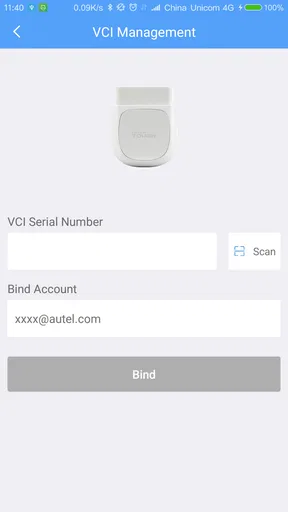
HT200 is associated with the HT200 scanner, so the phone app is only one part of the process. You need the compatible hardware and a vehicle connection for diagnostic work; downloading an app by itself does not turn a phone into a scanner. Before relying on it, I would check that the scanner is the right match for the car and that I can follow the connection and scan instructions safely.
For a useful first pass, I would park somewhere safe, connect the scanner as directed, and run a check without trying to interact with the phone while driving. I would note the warning light or symptom, review the results, and keep that information available when speaking with a repair shop. That simple sequence can make a visit more productive: instead of saying only “a light came on,” I could describe what I observed and what the scan reported, while leaving the final diagnosis to a qualified person.
A less obvious benefit of this workflow is that it separates observation from action. If a warning appears before an appointment, a scan can help me prepare questions and decide what details to record. It is still important to follow the vehicle’s manual and respond appropriately to urgent warnings; a diagnostic app should not be used to justify continuing a journey when the car feels unsafe or the warning calls for immediate attention.
A realistic reason to keep it handy
Imagine a warning light appearing in a supermarket car park just before the drive home. I would not want to guess at the cause, and I would not want to assume that a phone app can certify the car as safe. With the compatible scanner available, HT200 could give me a more informed starting point: check the vehicle, note the result, and decide whether the next step is a cautious trip, roadside help, or a garage call. The value is not a dramatic instant fix; it is having more context when making that decision.
Worth Reading Before You Choose

Flipboard Shows What News Apps Must Do Beyond the Feed

Switching to Android Auto Means Rethinking Your Driving Routine

Google Calendar Makes a Crowded Week Easier to Manage

Ludo King Makes the Most of the Minutes Between Plans

Baby Panda World Brings Quick Play to Modern Phones, but Its Game Library Feels Busy

ESPN’s Live Game View Makes Following Close Games Easier
That is also where a multi-system approach can be preferable to a very basic code reader. A simple reader may be enough for someone who wants to check engine-related codes at the lowest level of complexity. HT200’s broader diagnostic aim is more appealing to drivers who want to look beyond that narrow first check, though the usefulness still depends on the scanner, the vehicle, and what the app can communicate in that setup.
Getting Started with HT200
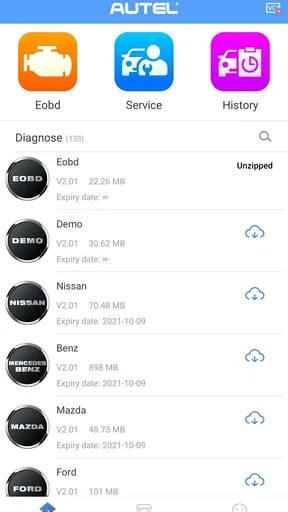
First things first, downloading HT200 was a breeze. Available on both Android and iOS, you can find it easily on the app stores. Once installed, the app welcomed me with a clean, intuitive interface that made me feel right at home. None of that cluttered nonsense you sometimes find in other apps. With a few taps, I was ready to explore what HT200 had to offer.
Features That Stand Out
Now, let’s dive into the features. HT200 is packed with tools that are actually useful in everyday scenarios. One of my favorites is the real-time tracking feature, which keeps you updated with the latest information you need. Whether you’re tracking your fitness progress or monitoring your daily tasks, HT200 keeps everything organized in one place.
The app also integrates seamlessly with other services, which is a huge plus. I mean, who has time to switch between a million apps? With HT200, you can sync your calendar, manage your emails, and even control smart devices. It’s like having a personal assistant right in your pocket.
User Experience and Design
One thing that caught my eye immediately was the app’s design. It’s sleek, modern, and easy on the eyes. The navigation is straightforward, which means you won’t find yourself lost in a sea of menus.
Another aspect I appreciate is the customization options. You can tweak the settings to suit your preferences, whether it’s changing the theme or adjusting notifications. It makes the app feel personal and tailored to your needs.
Performance and Reliability
Performance-wise, HT200 is smooth sailing. I didn’t encounter any glitches or crashes, which, let’s be honest, is a relief. The developers clearly put in the work to ensure everything runs smoothly.
The app also doesn’t hog your phone’s battery, which is always a bonus. After all, nobody wants an app that drains your battery faster than a streaming marathon. HT200 manages to do its job without being a power-hungry monster.
Who Will Love HT200?
If you’re someone who loves staying organized and appreciates an app that enhances productivity without overwhelming you, HT200 is definitely worth checking out. It’s especially great for busy professionals, students, or anyone who juggles multiple tasks daily.
Parents might also find it handy for managing household schedules and keeping track of family activities. Basically, if you’ve got a lot on your plate, HT200 can help you keep it all in check.
Is it the right fit for your garage routine?
For a driver deciding whether to try it, the practical question is whether you already have, or plan to use, the matching scanner. If not, the app alone is unlikely to deliver the central value of vehicle diagnostics. HT200 is free to install, but in-app purchases are listed at $21.99 per item, so I would check what a particular purchase covers and whether it is relevant to my setup before paying. The listed age rating is Everyone, and the current version is 1.64; those details tell you about the app’s availability and release channel, not whether every function fits every car.
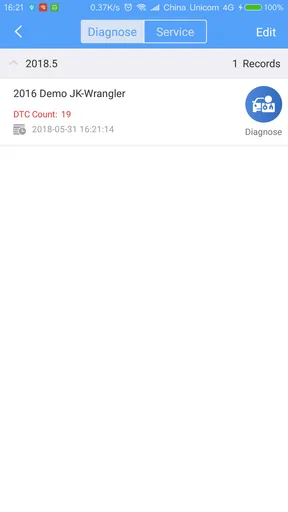
There is also a difference between a driver who wants occasional reassurance and someone who diagnoses vehicles regularly. A casual owner may only need a scan when a warning appears, while a hands-on car enthusiast may value repeated access to diagnostic information enough to learn the workflow. Either way, I would keep a short record of the date, the dashboard symptom, and the result rather than relying on memory. That makes it easier to notice whether a problem has returned and gives a repair professional useful context.
The main trade-off is that convenience can create false confidence. A scan result can look precise, but interpretation still takes judgment, and the app cannot substitute for a physical check when the car has unusual noises, handling changes, fluid leaks, or other symptoms. If a warning indicates an urgent issue, or the car behaves unsafely, I would prioritize stopping safely and seeking professional help over experimenting with a diagnostic app.
Ratings, cost, and expectations
HT200 is free, with individual in-app purchases priced at $21.99 per item. I would treat that as a reason to understand the purchase before committing, rather than assume that installing the app includes every paid capability. The app has an average rating of 2.8 from around 1,200 ratings, alongside 628 written reviews, so its reception is mixed. I would not read a rating as proof that it will or will not work for a particular person; compatibility, hardware, and expectations can shape the experience considerably.
It has passed 100,000 installs and was released on September 14, 2018. For me, the more actionable point is to approach setup carefully: confirm the scanner and vehicle fit, follow the connection steps, and test the workflow when you have time rather than waiting for a stressful roadside moment. The minimum operating system is Android 7.0, which is worth checking before installation if you use an older phone.
Who benefits, and who should choose another route?
I can see HT200 suiting an owner who wants a more informed first look at vehicle-system issues and is comfortable pairing an app with scanner hardware. It may also be useful to someone who maintains more than one car and wants a repeatable way to gather information before talking with a repair shop. The strongest use case is preparation: turn an unfamiliar warning into a clearer conversation, while staying realistic about what a scan can establish.
I would skip it if you expect a phone-only tool to diagnose a car, if you do not want to buy or use compatible hardware, or if you need a professional-level verdict without a technician inspecting the vehicle. A mechanic’s diagnostic equipment and experience are the better choice for persistent faults, safety concerns, or repairs that require specialized knowledge. A simpler engine-code reader may also be a better fit if your needs are narrow and you want no more than a basic check.
Final Thoughts
Overall, I’ve enjoyed my time with HT200. It’s a solid app that strikes a nice balance between functionality and ease of use. While there are always areas for improvement, like adding more integration options, the current package is impressive.
Whether you’re tech-savvy or just looking for a simple way to stay organized, HT200 has something to offer. So, if you’re in the market for a new app to streamline your life, give HT200 a shot. You might just find it becomes your go-to tool.
My recommendation is narrower and more useful: consider it if you want a companion for compatible diagnostic hardware and understand that scan results are the beginning of troubleshooting, not its conclusion. If that matches how you maintain your car, it can help you arrive at the next decision better prepared. If you need certainty, urgent help, or a diagnosis without the scanner, a qualified repair professional is the more dependable option.
Pros
- User-friendly interface
- easy to navigate.
- High-quality graphics enhance user experience.
- Regular updates with new features.
- Good customer support response time.
- Compatible with most devices.
Cons
- Occasional bugs can disrupt gameplay.
- Requires a stable internet connection.
- Frequent ads can be intrusive.
- Limited free features
- many are paid.
- High battery consumption during use.
FAQs for HT200
What is HT200 and what does it do?
HT200 is a comprehensive personal finance app designed to help users manage their budgets, track expenses, and set financial goals. With its intuitive interface, it allows users to link multiple bank accounts, categorize transactions, and visualize their spending habits through detailed charts and reports.
Is HT200 safe to use with my financial information?
Yes, HT200 prioritizes user security by employing advanced encryption protocols to protect your financial data. The app uses bank-level security measures and does not store your login credentials. Furthermore, it undergoes regular security audits to ensure your information remains safe and private.
Can I use HT200 across multiple devices?
Absolutely, HT200 offers seamless synchronization across all your devices. Whether you're using a smartphone or tablet, the app ensures that your financial data is consistently updated. Simply log in with your account on any device, and your information will be readily available.
Does HT200 support international currencies and banks?
Yes, HT200 supports a wide range of international currencies and banks, making it versatile for users worldwide. You can easily manage accounts in different currencies, and the app automatically converts them for accurate budgeting and reporting.
Are there any subscription fees for using HT200?
HT200 offers a free version with basic features, suitable for casual users. For advanced functionalities such as priority customer support, enhanced reporting, and additional customization options, there is a premium subscription available. The app provides a detailed comparison of features for both versions.


